

The pay report
What each person earned, by month or by event, with an export that matches what is on screen.
The pay report lives under Roster > Pay report. It answers two questions: what you owe people right now, and what you have paid them this year.

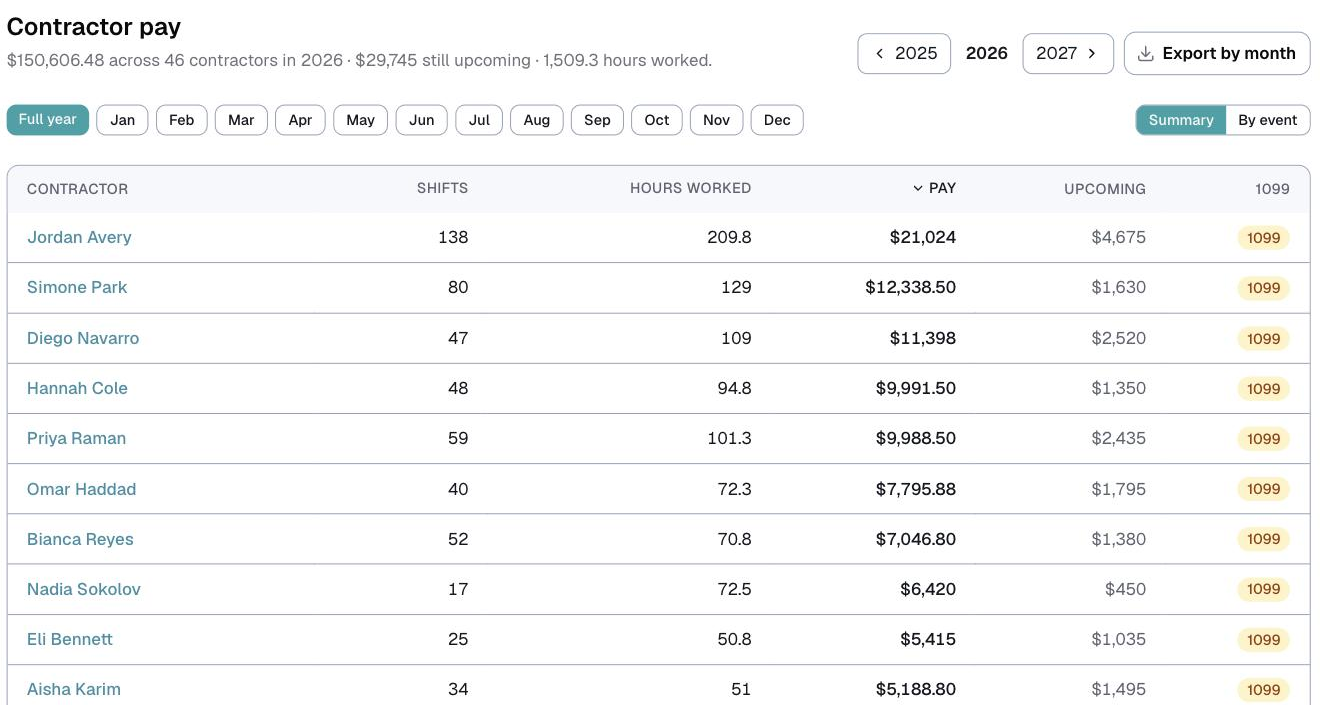
The line at the top is your year at a glance: what you have paid across how many contractors, how much is still upcoming, and how many hours have been worked. Switch years on the right, and narrow to a single month with the chips underneath.
Two views
Summary gives you one row per person: shifts, hours worked, pay, what is still upcoming, and their 1099 standing.
By event gives you one row per shift, with the date, the booking, the person, the hours, and base pay, travel and extras broken out.
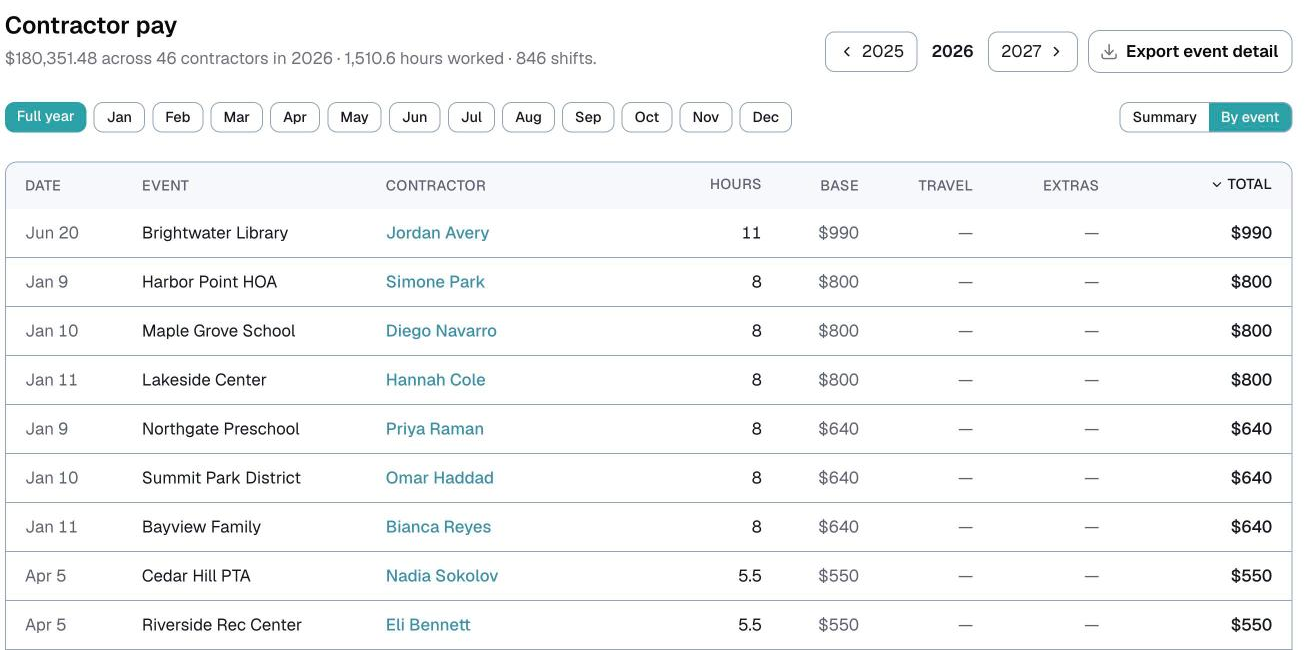
Switch between them at the top right. Both views sort by any column, so click a heading to reorder.
⚠️ Upcoming is money for shifts that have not happened yet. It is not part of what you owe today, which is why it sits in its own column.
What counts
Pay is base pay plus travel plus extras, added up per shift. Everything you typed on a shift row on the event card lands here.
Hours come from each shift's start and end time, on booked and completed events that have already happened.
⚠️ Cancelled bookings are included in pay. If a client cancels, you keep the deposit and you pay your artist out of it, that is real money that really moved. A cancelled event pays but adds no hours. Only archived bookings are left out.
The 1099 column
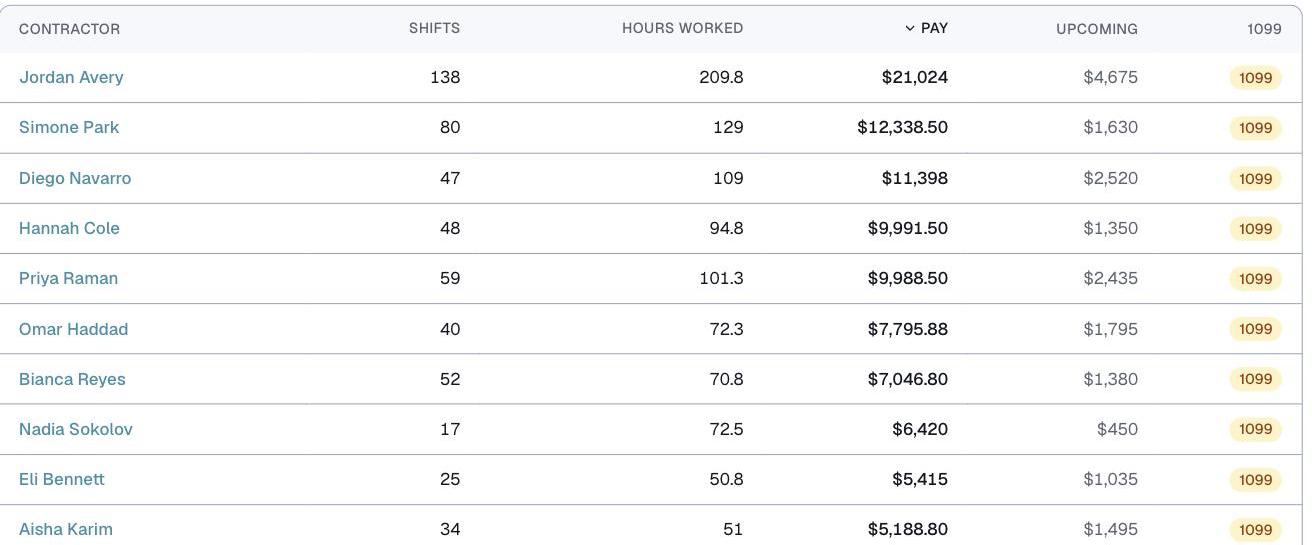
Anyone at or over $600 in a calendar year is flagged in this column, because that is the US threshold at which a 1099 is generally required. Below the threshold the column simply shows a dash.
Logidex flags the number. It does not file anything, and it is not tax advice. Check with your accountant about your own situation.
Getting it out
The export matches the view you are looking at: in Summary it is one row per person, in By event it is one row per shift, and the button changes its wording to match.
⚠️ The export covers the whole period you have selected, which can be larger than what fits on your screen. That is deliberate, since it is the report a bookkeeper wants, but it surprises people the first time.
If nobody is paid
With staff pay switched off, this page becomes the Hours report: the same two views, counting hours worked instead of money. Volunteer-run organizations use it to track who gave their time.
Last updated