

Duplicate: there are two buttons, and they do different things
One copies a single shift so you can add a second person to the same service. The other copies a whole booking onto a new date. Here is which is which.
Logidex has two buttons called Duplicate. They sit on the same screen, they are a few inches apart, and they do completely different jobs.
The short version
- Duplicate on a shift row adds one more slot for that same service, at that same time, with nobody in it. Use it when a job needs two face painters instead of one.
- Duplicate… in the More menu copies the entire booking onto a date you choose, with every shift emptied out. Use it when the same client books the same party again.
Duplicate on a shift row
Open the booking and look at the Service shifts section. Each shift is a row, and each row has a small Duplicate button on its right.
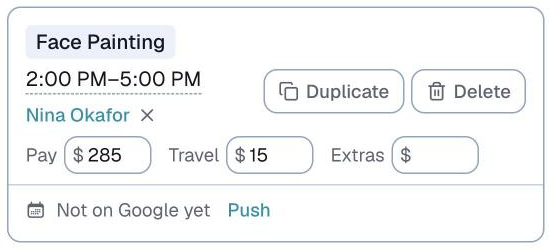
Press it and you get a second row underneath: same service, same start and end time, nobody assigned.
What it does not do:
- It does not copy the person. The new slot is empty and waiting to be staffed.
- It does not copy the pay. Set that on the new row yourself.
- It does not touch the rest of the booking. Your client, your location and your Additional details are all left alone.
⭐ This is the one most people mean. Needing a second artist on the same service is an everyday thing, and this button is a two-second version of adding a shift by hand.
Duplicate… in the More menu
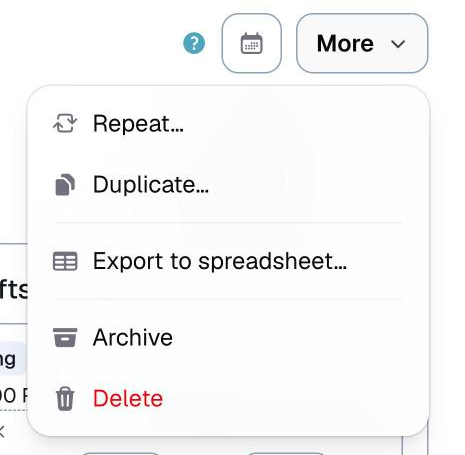
This one is on the booking as a whole. Open the booking, click More at the top, and choose Duplicate….
A small window opens asking for a New date. It starts on the original booking's date, so if you are copying a party onto a different day, change it here.
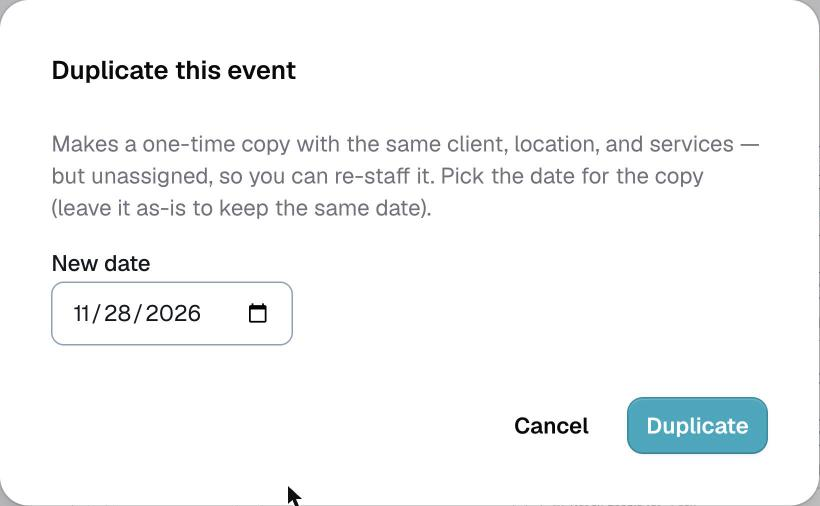
Press Duplicate and Logidex opens the new copy for you.
What comes over:
- The client, the location, the guest count and the special requirements
- Your Additional details
- Every service on the job, at the same times
What does not:
- Nobody is assigned. Every shift arrives empty, so you re-staff it from scratch. That is deliberate, since the person free for last month's party may not be free for this one.
- No pay is copied. Each new shift starts with nothing set.
- No Google Calendar invite comes with it. The copy has no connection to the original's calendar entries, so pushing the copy cannot disturb them.
The copy lands as needs staffing if it had shifts, or as an inquiry if it did not.
The third one people mix in: Repeat
Directly above Duplicate… in the same More menu is Repeat…. That is not a copy at all. It sets up a recurring series, for a job that happens every week or every month on a schedule.

Use Duplicate… for a one-time copy. Use Repeat… when it is genuinely a standing arrangement.
Which one do I want?
Last updated