

Ratings and priority lists
Private ratings for your own use, and a first-choice order for each service. Here is what each one changes.
Two ways to tell Logidex who you would rather send. Neither is ever shown to the people on your roster.
Ratings
Open someone's profile and go to the Ratings tab. Give a score in each category, and their overall rating is the average. Tap a star again to clear it.
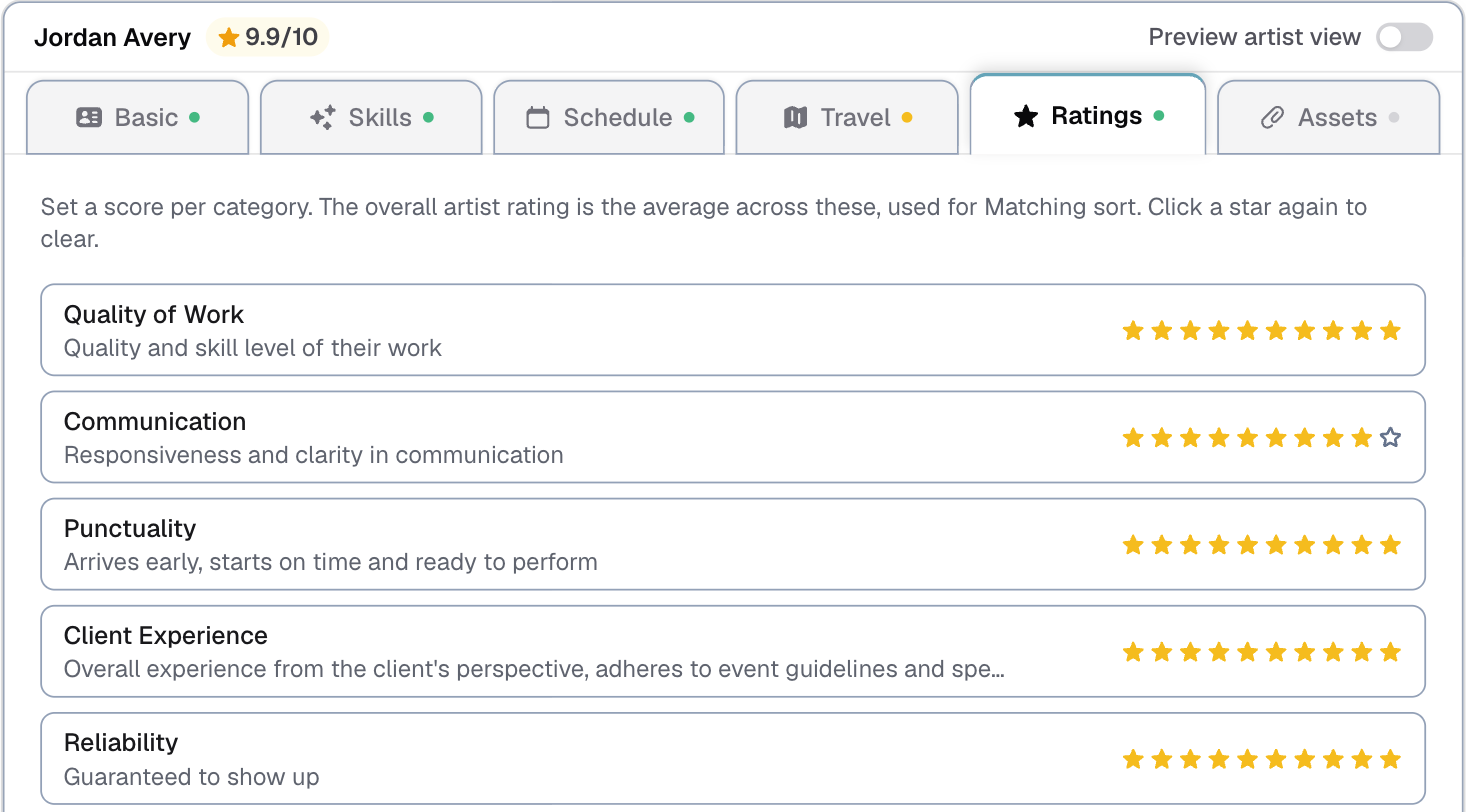
Customize → Rating sets the scale (5 stars or 10) and the categories. Add your own, such as Punctuality or Client feedback.
What a rating changes: Match & assign ranks people on four things together: the skill, their availability, the distance, and their rating. A higher rating moves someone up. It never removes anyone. Someone with no rating yet sits in the middle, so a new person is not buried.
You can also sort the Roster list by Rating under Filters & sort.
Priority lists
A rating says how good someone is. A priority list says who you call first for one service, which is not always the same thing.
- On the Roster page, press Priority beside the List, Calendar and Map views.
- Pick a service.
- Drag people into the order you want. Everyone with that skill is there, with their rating beside them for reference.
What it changes: on the Board, Suggest works down your list. It still offers people who are free before people you would have to ask, but within each of those groups your order decides. People you have not placed come after the ones you have.
You can sort the Roster list by Priority too.
Last updated