

Active, Emergencies only, Inactive, and archiving
The status on each profile decides who gets suggested and who gets asked for cover. Archiving takes someone off your roster without losing their history.
Every person has a status. Set it on their profile, just under their name.
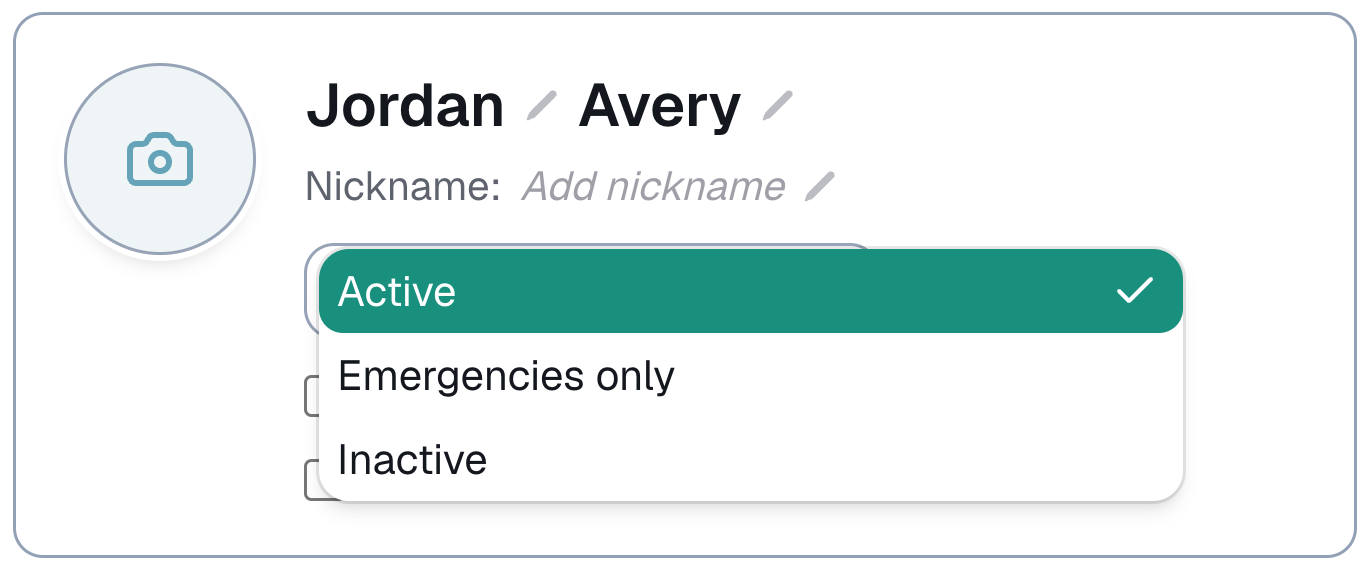
Active
The normal setting. They are suggested for shifts they fit and asked when a shift needs cover.
Emergencies only
For the person you call when you are stuck: a retired regular, someone who only wants the odd extra job.
- They are left out of Match & assign unless you ask for them.
- They are asked when a shift needs emergency cover, as long as they are free that day and willing to travel there.
Inactive
On a break, or not taking work for now. They are left out of suggestions and are not asked for cover. Their profile and history stay exactly as they were, so switching back is one tap.
Finding them when you need them
- In Match & assign, the Status filter adds Emergencies only or Inactive to the list. Every other check still applies. It starts on Active each time.
- Searching by name in Match & assign finds anyone with the skill, whatever their status, with a note saying why they were not suggested.
- On the Roster page, the list shows Active and Emergencies only. Tick Inactive under Filters & sort to see the rest.
Archiving
For someone you no longer work with. Open their profile and press Archive.
- They leave your roster, matching and search.
- They stop counting toward your plan.
- Their past bookings keep them.
To bring someone back, go to Roster → Archived and press Restore.
⚠️ Delete is different, and permanent. It removes the profile for good, and their past shifts show as unassigned. Archive unless you are sure.
Last updated